> ## Documentation Index
> Fetch the complete documentation index at: https://checkly-422f444a-paula-tree-202-entitlements-group-troubles.mintlify.site/llms.txt
> Use this file to discover all available pages before exploring further.
# Overview
> Run your Playwright end-to-end test suite as synthetic production monitoring.
**Monitoring as Code**: Learn more about the [Playwright Check Suite Construct](/constructs/playwright-check).
## What are Playwright Check Suites?
Playwright Check Suites enable you to run entire Playwright end-to-end test suites, Playwright projects or tagged tests as pre-production tests and global production monitors, without rewriting your tests and configuration.
Unlike [Browser Checks](detect/synthetic-monitoring/browser-checks/overview), Playwright Check Suites are not limited to a single test spec and our preinstalled runtime dependencies. Playwright Check Suites enable you to run Playwright projects complete with all of your required dependencies, private packages, storage, data, and more, and enable you to detect issues with your applications or services even in the most complex scenarios.
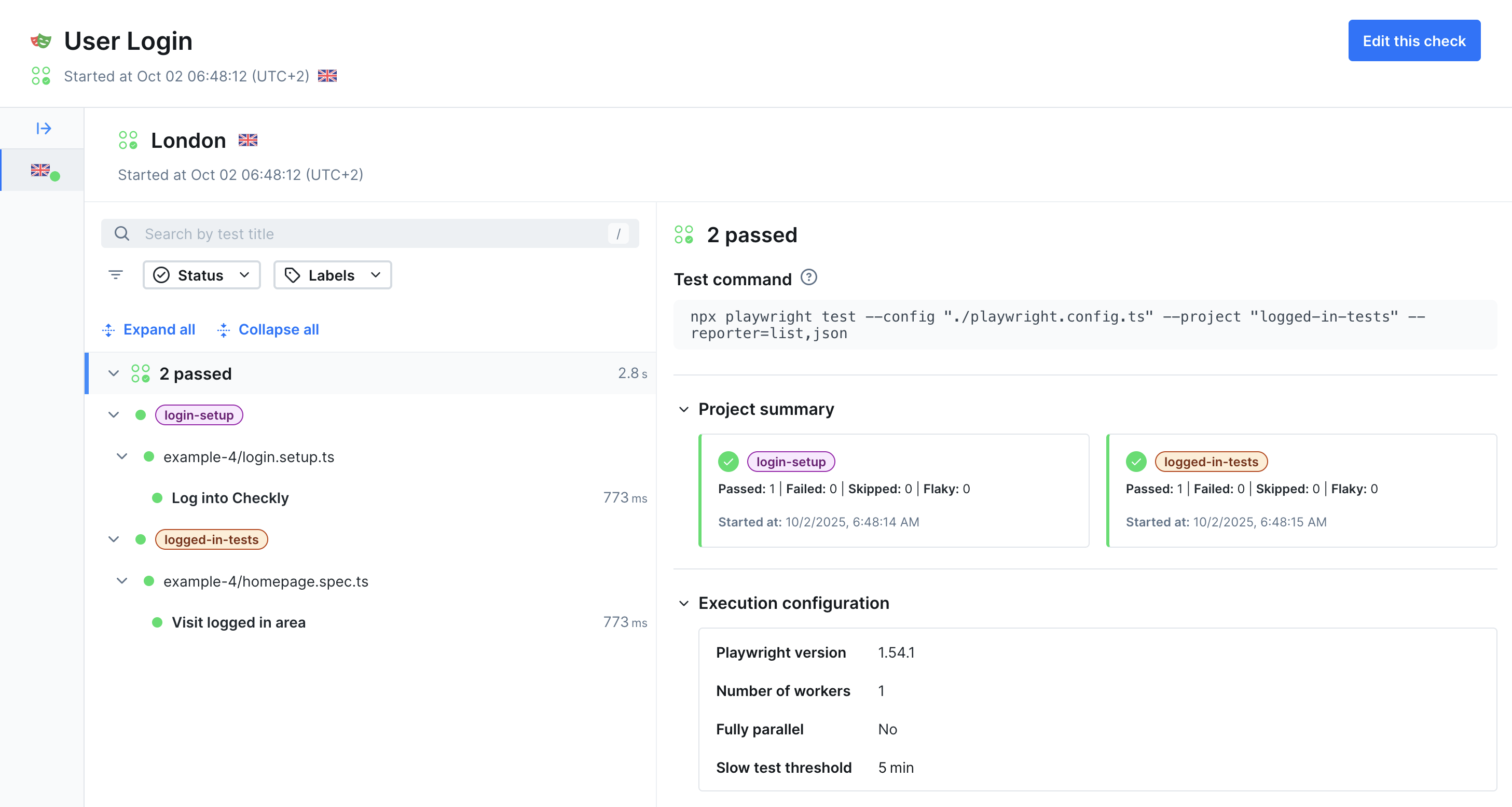 **Playwright Check Suites are the native way to run Playwright in production** and support the full Playwright API and ecosystem, meaning you can use your existing tests and `playwright.config.ts` files as is.
**Playwright Check Suites are perfect for:**
* Converting existing E2E tests into monitoring
* Testing complex user workflows across multiple browsers
* Monitoring critical business processes
* Validating application functionality after deployments
## How Playwright Check Suites Work
Playwright Check Suites analyze your Playwright configuration and test files to understand your existing test structure.
Use tags and projects to define monitoring scope, choosing which tests become production monitors.
Deploy your selected tests to run from multiple worldwide locations for comprehensive coverage.
Execute tests on schedules with performance tracking and detailed reporting.
Receive notifications when tests fail or performance degrades, keeping your team informed.
**Runtime Limits**: During Beta, Playwright Checks can run up to 20 minutes per execution. This limit can be adjusted based on feedback.
## Test Selection
Your Playwright end-to-end test suite consists of projects, `spec.ts` files and individual tests. Use Playwright Check Suites to select and regroup the tests you want to run as synthetic monitors.
**Playwright Check Suites are the native way to run Playwright in production** and support the full Playwright API and ecosystem, meaning you can use your existing tests and `playwright.config.ts` files as is.
**Playwright Check Suites are perfect for:**
* Converting existing E2E tests into monitoring
* Testing complex user workflows across multiple browsers
* Monitoring critical business processes
* Validating application functionality after deployments
## How Playwright Check Suites Work
Playwright Check Suites analyze your Playwright configuration and test files to understand your existing test structure.
Use tags and projects to define monitoring scope, choosing which tests become production monitors.
Deploy your selected tests to run from multiple worldwide locations for comprehensive coverage.
Execute tests on schedules with performance tracking and detailed reporting.
Receive notifications when tests fail or performance degrades, keeping your team informed.
**Runtime Limits**: During Beta, Playwright Checks can run up to 20 minutes per execution. This limit can be adjusted based on feedback.
## Test Selection
Your Playwright end-to-end test suite consists of projects, `spec.ts` files and individual tests. Use Playwright Check Suites to select and regroup the tests you want to run as synthetic monitors.
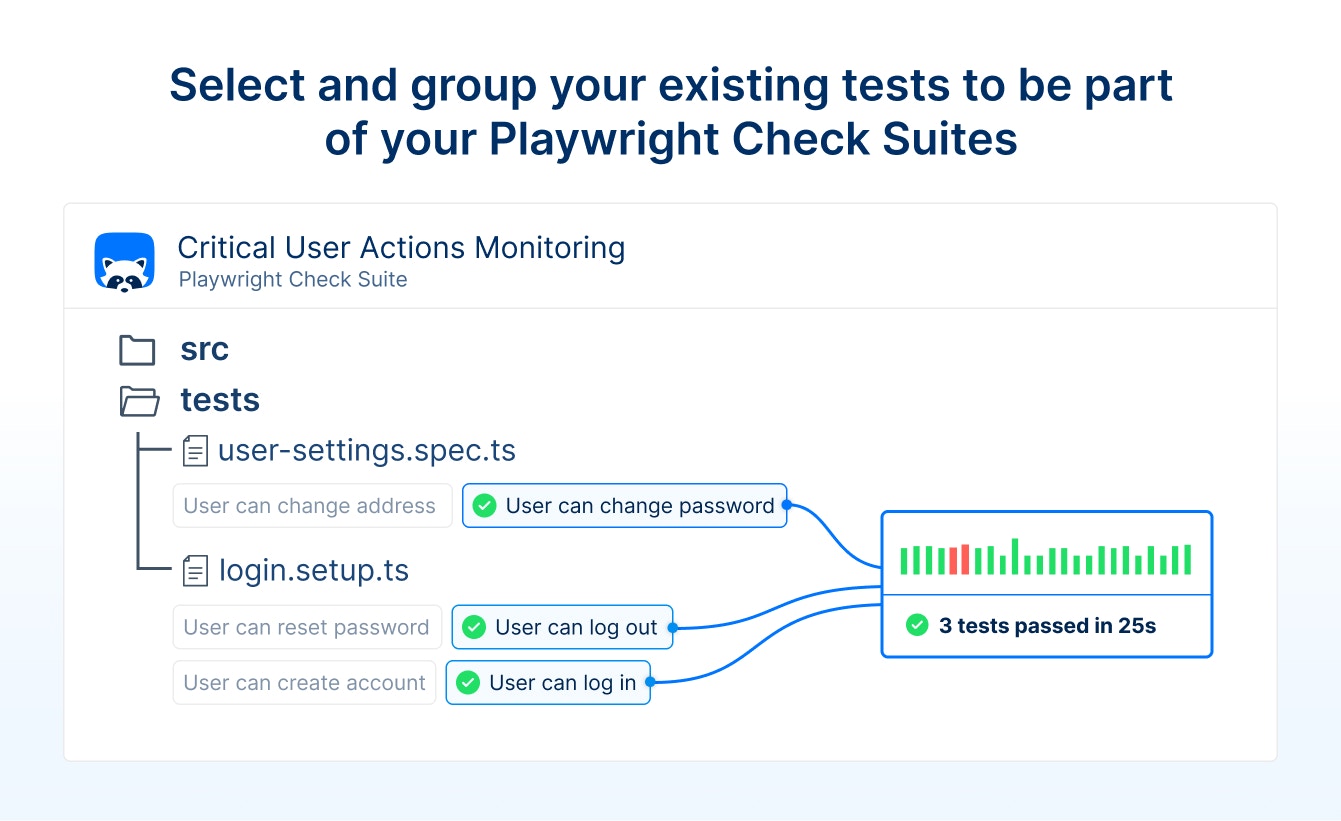 **A Playwright **Check** Suite is a collection of tests that are defined in one or more `spec.ts` files.** To control which tests become part of your Playwright Check Suite, use:
* **Projects**: Choose browser and project configurations from your Playwright config
* **Tags**: Select tests marked with specific tags (e.g., `@critical`, `@smoke`)
* **Combinations**: Mix tags and projects for precise test selection
```typescript checkly.config.ts theme={null}
export default defineConfig({
checks: {
playwrightChecks: [
{
name: "Marketing Environment",
logicalId: "environment-marketing-suite",
// Select the tests defined in
// the `environment-marketing` Playwright project
pwProjects: ["environment-marketing"],
},
{
name: "@critical tests",
logicalId: "critical tests",
// Select tests tagged as `@critical`
pwTags: ["@critical"],
},
],
},
})
```
The Playwright Check Suite runner will use the `pwProjects` and `pwTags` values to configure [the native Playwright Test CLI run](https://playwright.dev/docs/test-cli). `pwProjects` reflects the `--project` and `pwTags` the `--grep` CLI options.
[Read the guide on test organization](/detect/synthetic-monitoring/playwright-checks/test-organization) to learn more about all the options for selecting and grouping tests in a Playwright Check Suite.
## Monitoring Configuration
Customize monitoring behavior with:
* **Frequency**: From every minute to custom schedules
* **Locations**: Choose from global monitoring regions
* **Alerting**: Configure team notifications and escalation
* **Groups**: Organize related checks for management
* **Dependencies**: Support for private packages and custom registries
## Getting Started
Ready to turn your Playwright tests into monitoring? Start with our quickstart guide to get running in 5 minutes.
Get from zero to deployed monitoring in 5 minutes
Complete configuration options and examples
Organize checks with groups for better management
Use private packages and custom registries
**A Playwright **Check** Suite is a collection of tests that are defined in one or more `spec.ts` files.** To control which tests become part of your Playwright Check Suite, use:
* **Projects**: Choose browser and project configurations from your Playwright config
* **Tags**: Select tests marked with specific tags (e.g., `@critical`, `@smoke`)
* **Combinations**: Mix tags and projects for precise test selection
```typescript checkly.config.ts theme={null}
export default defineConfig({
checks: {
playwrightChecks: [
{
name: "Marketing Environment",
logicalId: "environment-marketing-suite",
// Select the tests defined in
// the `environment-marketing` Playwright project
pwProjects: ["environment-marketing"],
},
{
name: "@critical tests",
logicalId: "critical tests",
// Select tests tagged as `@critical`
pwTags: ["@critical"],
},
],
},
})
```
The Playwright Check Suite runner will use the `pwProjects` and `pwTags` values to configure [the native Playwright Test CLI run](https://playwright.dev/docs/test-cli). `pwProjects` reflects the `--project` and `pwTags` the `--grep` CLI options.
[Read the guide on test organization](/detect/synthetic-monitoring/playwright-checks/test-organization) to learn more about all the options for selecting and grouping tests in a Playwright Check Suite.
## Monitoring Configuration
Customize monitoring behavior with:
* **Frequency**: From every minute to custom schedules
* **Locations**: Choose from global monitoring regions
* **Alerting**: Configure team notifications and escalation
* **Groups**: Organize related checks for management
* **Dependencies**: Support for private packages and custom registries
## Getting Started
Ready to turn your Playwright tests into monitoring? Start with our quickstart guide to get running in 5 minutes.
Get from zero to deployed monitoring in 5 minutes
Complete configuration options and examples
Organize checks with groups for better management
Use private packages and custom registries