> ## Documentation Index
> Fetch the complete documentation index at: https://checkly-422f444a-paula-tree-202-entitlements-group-troubles.mintlify.site/llms.txt
> Use this file to discover all available pages before exploring further.
# URL Monitor Configuration
> Configure your URL monitor to ensure your HTTP-based services are always available.
### Basic Setup
Monitor any URL by specifying the endpoint you want to track. You can configure the HTTP method, add request headers, and set SSL/redirect options:
 ### Assertions
Use assertions to validate the status code of your URL request. When one or more assertions fail, an alert is triggered:
### Assertions
Use assertions to validate the status code of your URL request. When one or more assertions fail, an alert is triggered:
 **Status Code:** Verify your endpoint returns the expected HTTP status code using the comparison dropdown. Choose from equals, not equals, greater than, or less than.
### Response Time Limits
Set performance thresholds to ensure your application meets speed requirements:
**Status Code:** Verify your endpoint returns the expected HTTP status code using the comparison dropdown. Choose from equals, not equals, greater than, or less than.
### Response Time Limits
Set performance thresholds to ensure your application meets speed requirements:
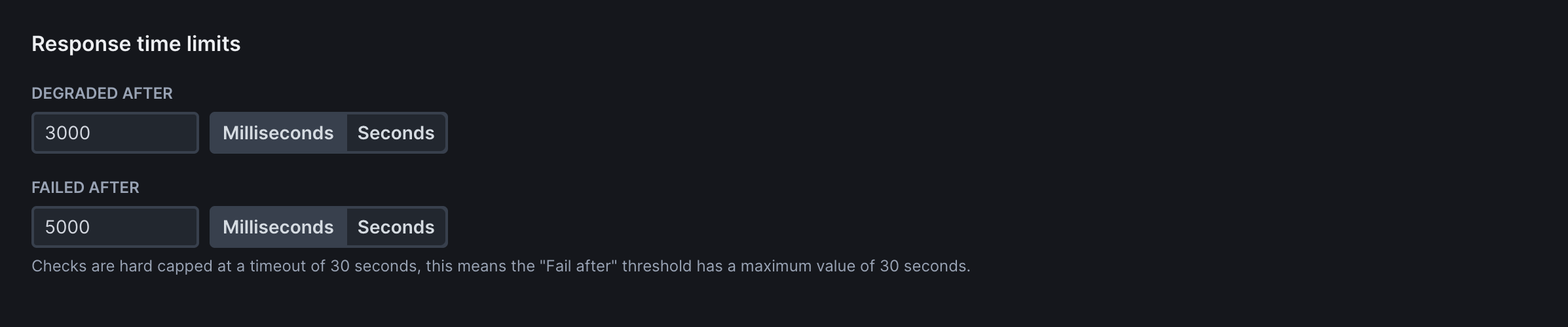 **Degraded After**: Time threshold (in milliseconds) after which the check is marked as degraded but not failed. Use for performance warnings without triggering failure alerts.
**Failed After**: Time threshold after which the check fails completely. Use for hard performance limits where slow responses should trigger alerts.
### Frequency
Determine how often your monitors run. Unlike Synthetic Monitors, URL Monitors do not consume "Checks" and can run at any frequency available to your plan:
**Degraded After**: Time threshold (in milliseconds) after which the check is marked as degraded but not failed. Use for performance warnings without triggering failure alerts.
**Failed After**: Time threshold after which the check fails completely. Use for hard performance limits where slow responses should trigger alerts.
### Frequency
Determine how often your monitors run. Unlike Synthetic Monitors, URL Monitors do not consume "Checks" and can run at any frequency available to your plan:
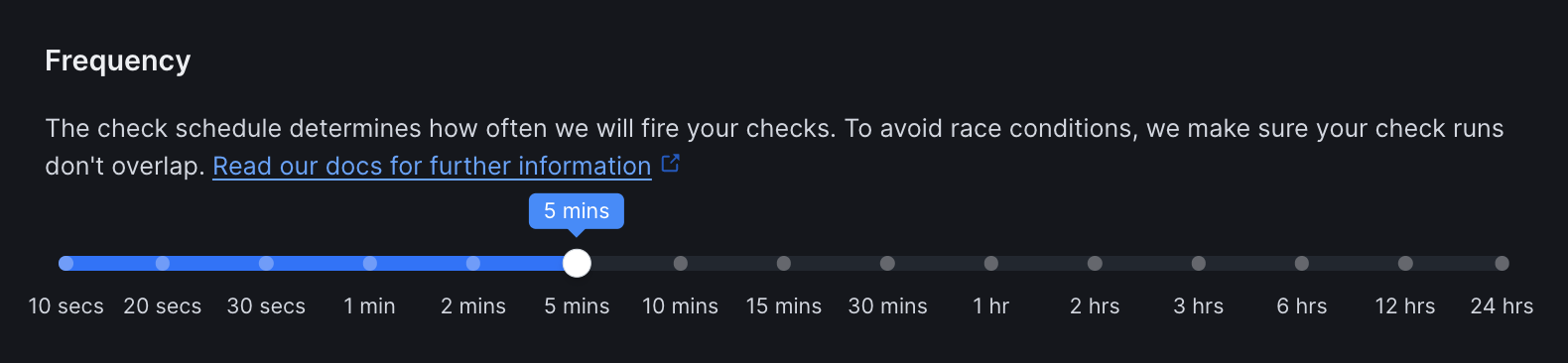 Choose a frequency that balances monitoring coverage with resource usage. Higher frequencies provide faster detection but may not be necessary for all services.
### Scheduling Strategy
Choose when and how your checks run across multiple locations:
Choose a frequency that balances monitoring coverage with resource usage. Higher frequencies provide faster detection but may not be necessary for all services.
### Scheduling Strategy
Choose when and how your checks run across multiple locations:
 **Round Robin** (Default): Checks run from one random location each interval. Most cost-effective option for general availability monitoring.
**Fixed Schedule**: Checks run from all selected locations simultaneously. Higher consumption but provides immediate global visibility for critical services.
### Locations
Select from Checkly's global monitoring locations to test your URLs from different regions:
**Round Robin** (Default): Checks run from one random location each interval. Most cost-effective option for general availability monitoring.
**Fixed Schedule**: Checks run from all selected locations simultaneously. Higher consumption but provides immediate global visibility for critical services.
### Locations
Select from Checkly's global monitoring locations to test your URLs from different regions:
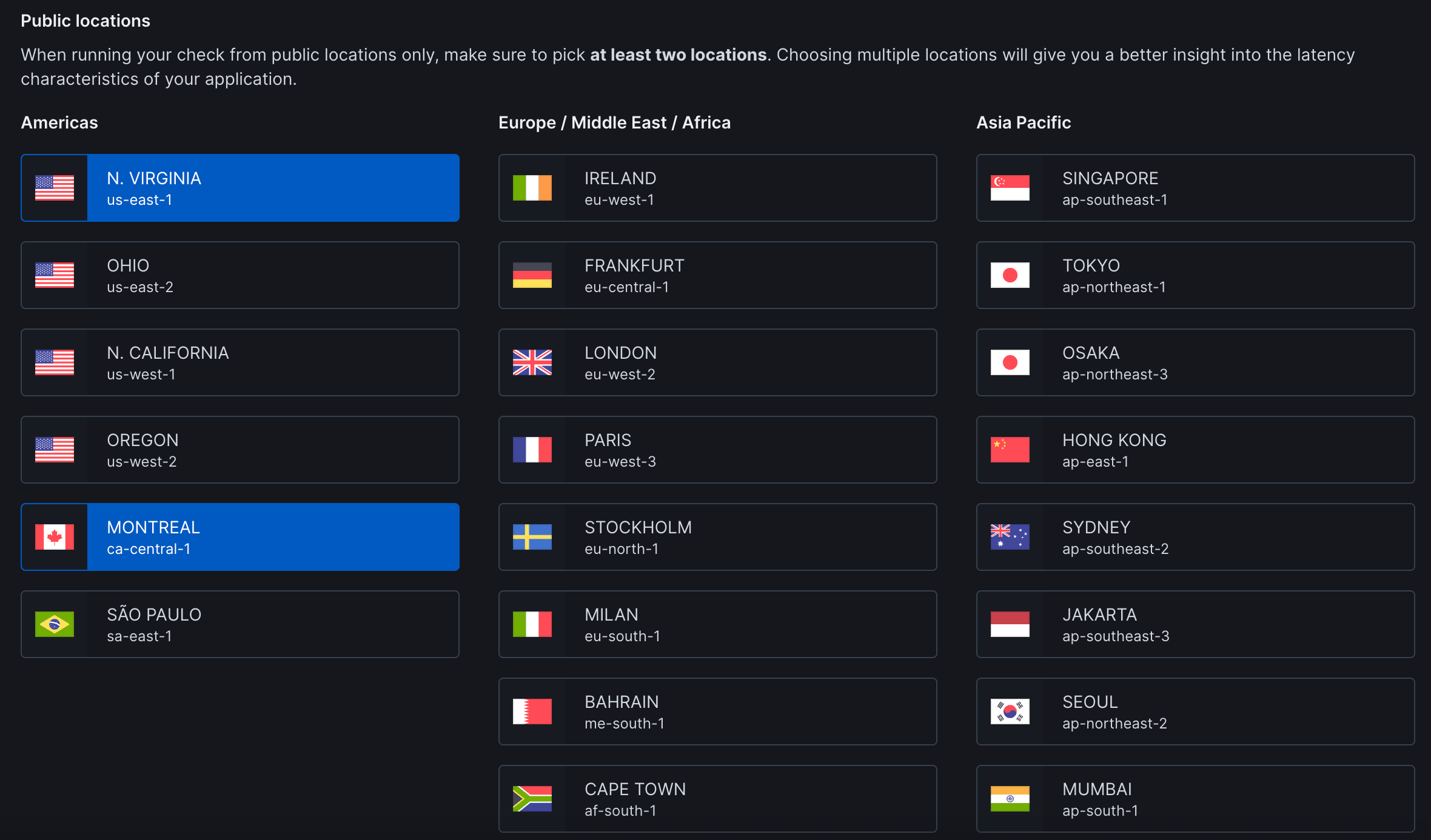 Choose 2-3 locations that best represent your user base for optimal monitoring coverage.
See [Locations](/concepts/locations) for the complete list of available regions and guidance on location selection.
**Private Locations**: Run checks from your own infrastructure to monitor internal applications, check services behind firewalls, or maintain data residency compliance. [Set up Private Locations →](/detect/private-locations/overview)
### Retries
Select the retry strategy to determine how failed checks are retried:
Choose 2-3 locations that best represent your user base for optimal monitoring coverage.
See [Locations](/concepts/locations) for the complete list of available regions and guidance on location selection.
**Private Locations**: Run checks from your own infrastructure to monitor internal applications, check services behind firewalls, or maintain data residency compliance. [Set up Private Locations →](/detect/private-locations/overview)
### Retries
Select the retry strategy to determine how failed checks are retried:
 | Strategy | Description |
| --------------- | ---------------------------------------------------------------------------------------- |
| **None** | No retries - fail immediately on first failure for fastest detection |
| **Single** | Retry once after failure with configurable delay |
| **Fixed** | Retry a specific number of times with consistent intervals between attempts |
| **Linear** | Increase retry delay linearly with each attempt to avoid overwhelming failed services |
| **Exponential** | Double the retry delay with each attempt for maximum protection against service overload |
### Alert Settings
Configure notifications for your team:
| Strategy | Description |
| --------------- | ---------------------------------------------------------------------------------------- |
| **None** | No retries - fail immediately on first failure for fastest detection |
| **Single** | Retry once after failure with configurable delay |
| **Fixed** | Retry a specific number of times with consistent intervals between attempts |
| **Linear** | Increase retry delay linearly with each attempt to avoid overwhelming failed services |
| **Exponential** | Double the retry delay with each attempt for maximum protection against service overload |
### Alert Settings
Configure notifications for your team:
 #### Notification Scope
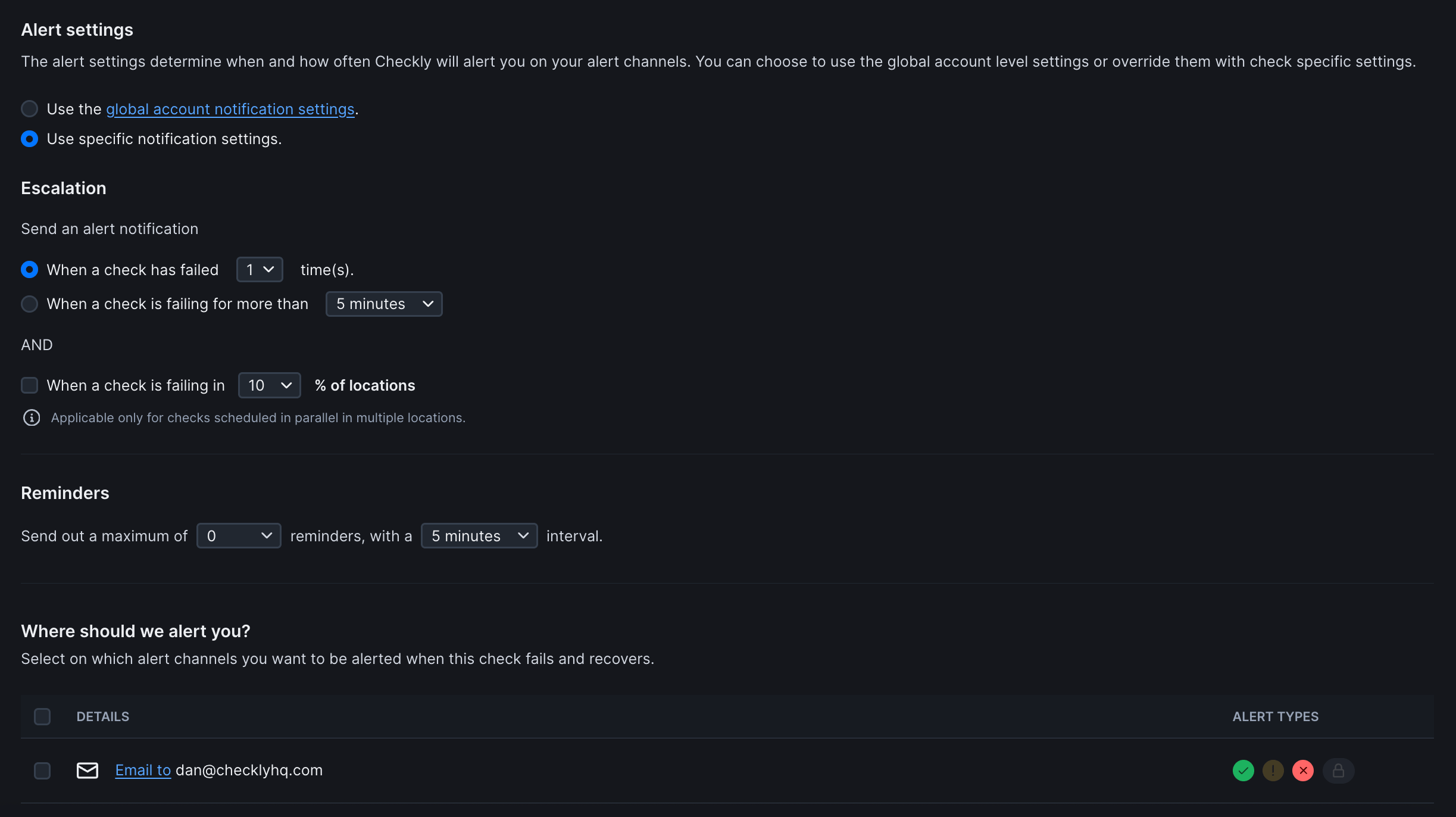
Choose how alerts are configured for this monitor:
| Option | Description |
| -------------------------------------------- | ------------------------------------------------------------------ |
| **Use global account notification settings** | Inherit notification preferences from Global Notification Settings |
| **Use specific notification settings** | Configure alert behavior exclusively for this check |
#### Escalation Rules
Control when alerts are triggered:
**Primary Trigger** (Choose one):
* **When a check has failed X time(s)**: Sends alert after specified consecutive failures
* **When a check is failing for more than Y minutes**: Sends alert if failure duration exceeds threshold
**Additional Condition** (Optional):
* **When a check is failing in Z% of locations**: Only applies to checks running in parallel across multiple locations
#### Reminders
Configure follow-up alerts after initial failure notification:
| Setting | Description |
| --------------------- | ------------------------------------------------------ |
| **Maximum reminders** | Number of follow-up alerts (0 = no reminders) |
| **Reminder interval** | Time between reminders (only if maximum reminders > 0) |
#### Alert Channels
Define where notifications are sent when checks fail or recover. Additional channels can be configured in global notification settings.
**Alert Types** (per channel):
* ✅ **Success/Recovery**: Check has recovered from failure
* ⚠ **Warning**: Check is degraded but not failed
* ❌ **Failure**: Check has failed
* 🔒 **Locked/Restricted**: Channel access limited
**Global Alert Settings**: By default, monitors inherit your account's notification preferences. Select "Use specific notification settings" to customize alerts for individual monitors.
#### Notification Scope
Choose how alerts are configured for this monitor:
| Option | Description |
| -------------------------------------------- | ------------------------------------------------------------------ |
| **Use global account notification settings** | Inherit notification preferences from Global Notification Settings |
| **Use specific notification settings** | Configure alert behavior exclusively for this check |
#### Escalation Rules
Control when alerts are triggered:
**Primary Trigger** (Choose one):
* **When a check has failed X time(s)**: Sends alert after specified consecutive failures
* **When a check is failing for more than Y minutes**: Sends alert if failure duration exceeds threshold
**Additional Condition** (Optional):
* **When a check is failing in Z% of locations**: Only applies to checks running in parallel across multiple locations
#### Reminders
Configure follow-up alerts after initial failure notification:
| Setting | Description |
| --------------------- | ------------------------------------------------------ |
| **Maximum reminders** | Number of follow-up alerts (0 = no reminders) |
| **Reminder interval** | Time between reminders (only if maximum reminders > 0) |
#### Alert Channels
Define where notifications are sent when checks fail or recover. Additional channels can be configured in global notification settings.
**Alert Types** (per channel):
* ✅ **Success/Recovery**: Check has recovered from failure
* ⚠ **Warning**: Check is degraded but not failed
* ❌ **Failure**: Check has failed
* 🔒 **Locked/Restricted**: Channel access limited
**Global Alert Settings**: By default, monitors inherit your account's notification preferences. Select "Use specific notification settings" to customize alerts for individual monitors.