

Basic Setup
Monitor any URL by specifying the endpoint you want to track. You can configure the HTTP method, add request headers, and set SSL/redirect options:
Assertions
Use assertions to validate the status code of your URL request. When one or more assertions fail, an alert is triggered:
Response Time Limits
Set performance thresholds to ensure your application meets speed requirements: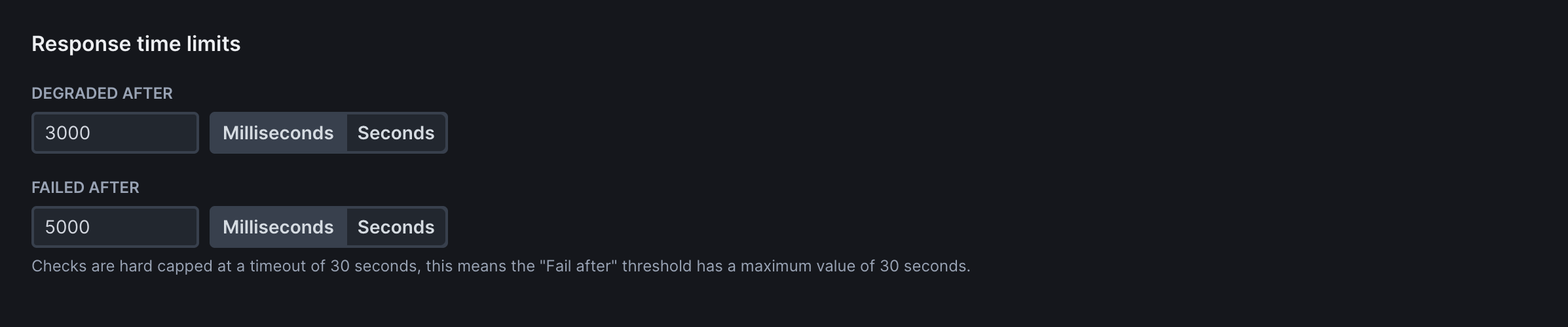
Frequency
Determine how often your monitors run. Unlike Synthetic Monitors, URL Monitors do not consume “Checks” and can run at any frequency available to your plan: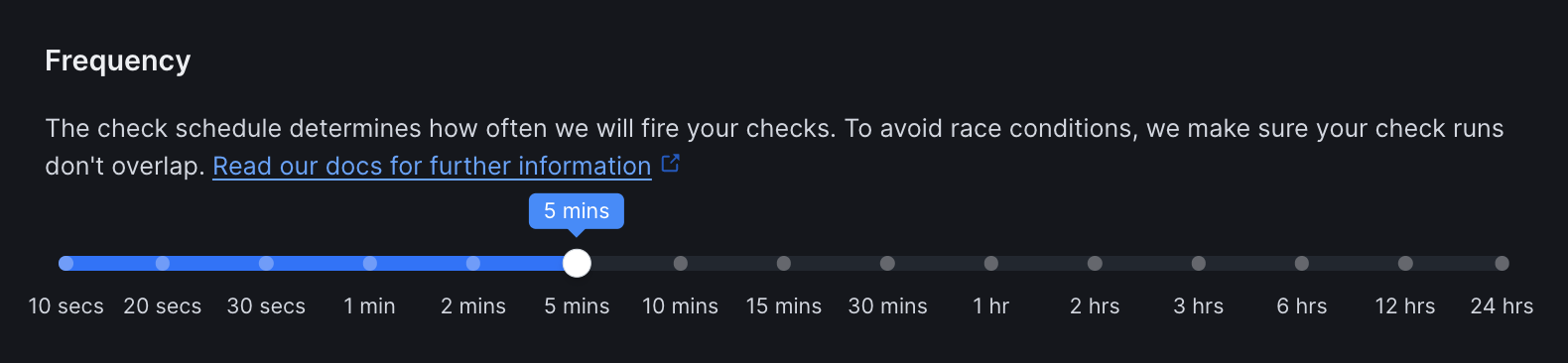
Scheduling Strategy
Choose when and how your checks run across multiple locations:
Locations
Select from Checkly’s global monitoring locations to test your URLs from different regions: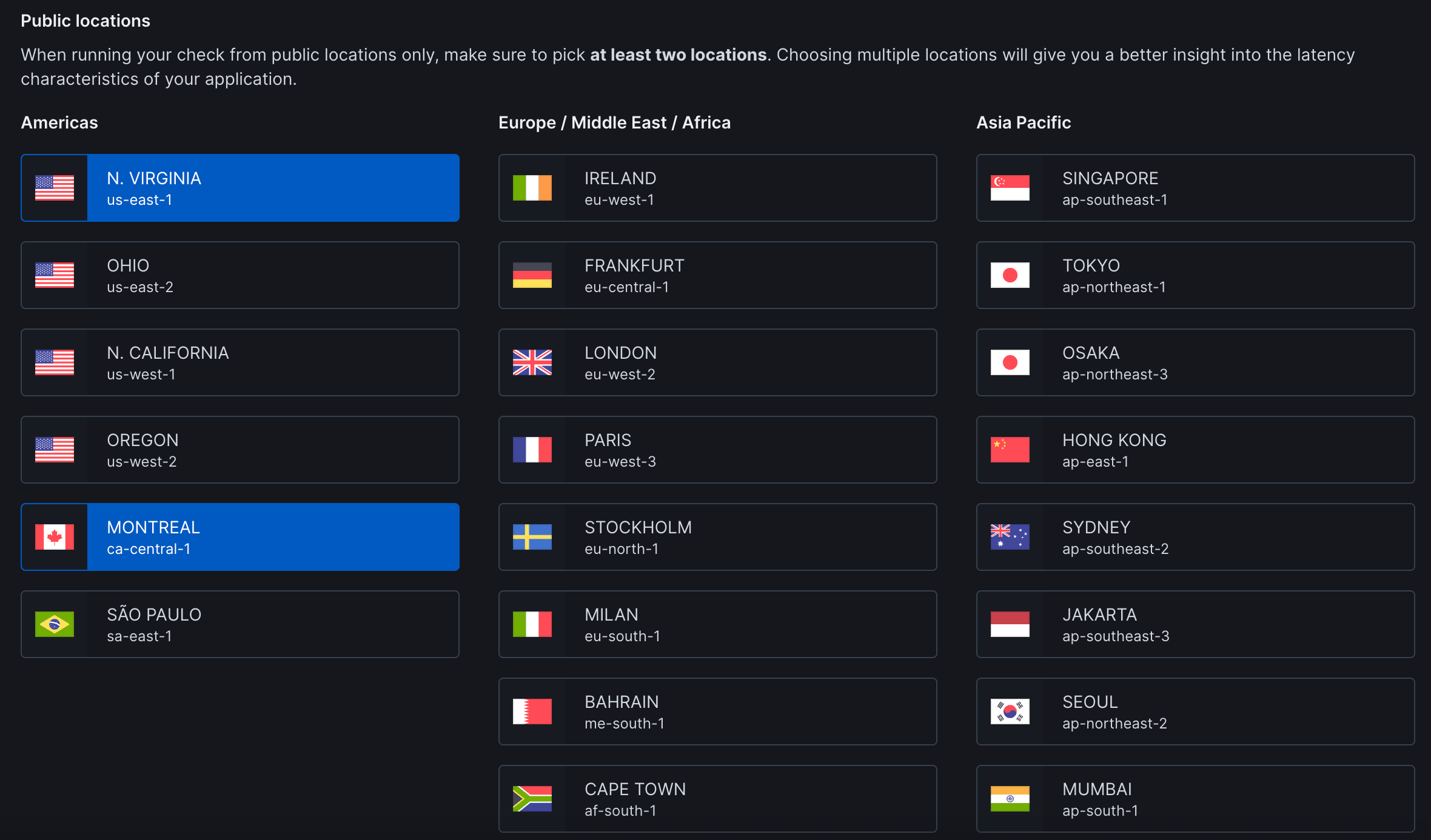
Private Locations: Run checks from your own infrastructure to monitor internal applications, check services behind firewalls, or maintain data residency compliance. Set up Private Locations →
Retries
Select the retry strategy to determine how failed checks are retried:
Alert Settings
Configure notifications for your team: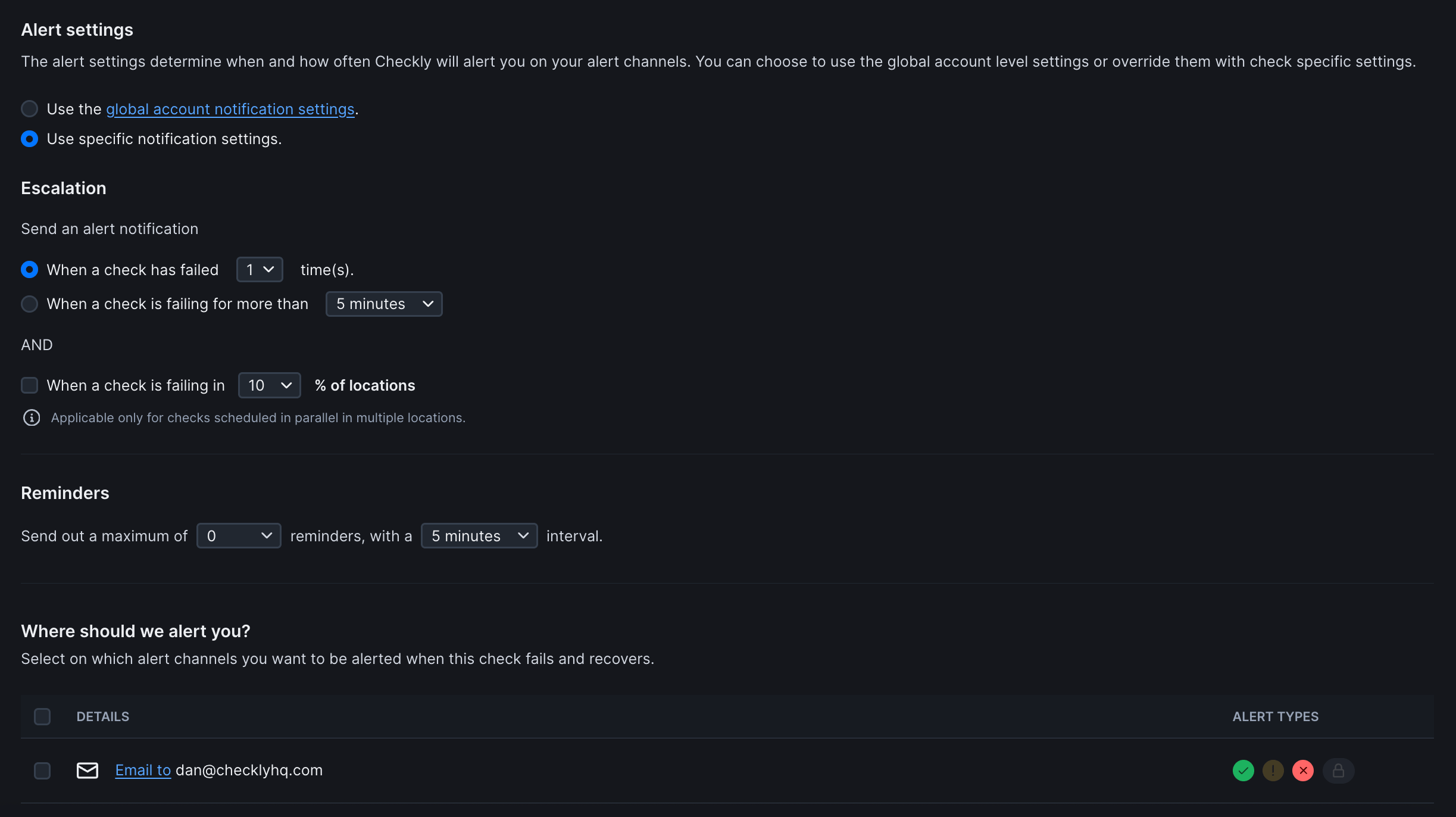
Notification Scope
Choose how alerts are configured for this monitor:Escalation Rules
Control when alerts are triggered: Primary Trigger (Choose one):- When a check has failed X time(s): Sends alert after specified consecutive failures
- When a check is failing for more than Y minutes: Sends alert if failure duration exceeds threshold
- When a check is failing in Z% of locations: Only applies to checks running in parallel across multiple locations
Reminders
Configure follow-up alerts after initial failure notification:Alert Channels
Define where notifications are sent when checks fail or recover. Additional channels can be configured in global notification settings. Alert Types (per channel):- ✅ Success/Recovery: Check has recovered from failure
- ⚠ Warning: Check is degraded but not failed
- ❌ Failure: Check has failed
- 🔒 Locked/Restricted: Channel access limited
Global Alert Settings: By default, monitors inherit your account’s notification preferences. Select “Use specific notification settings” to customize alerts for individual monitors.